
No power from MiniLinkUpdated 12 days ago
If you suspect that there is no power coming from the MiniLink, because your Starlink Mini will not power on, check the following:
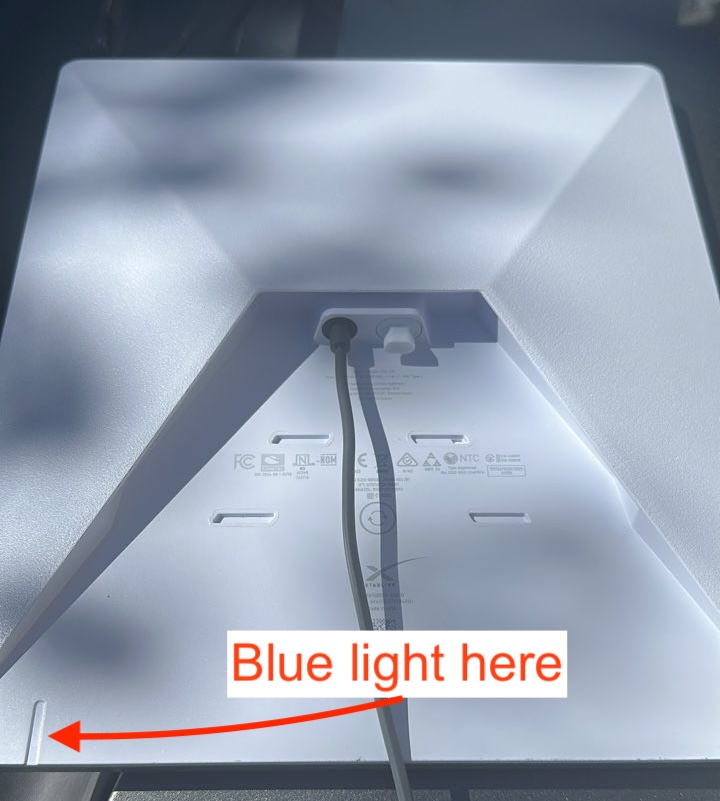
- STEP 1: Check the blue indicator light on the back of the Starlink Mini (on the lower back side). If the blue light is on steady or blinking, the MiniLink is working correctly.
- STEP 2: Check all of the cable connections to Starlink Mini. The round plugs need to be fully connected.
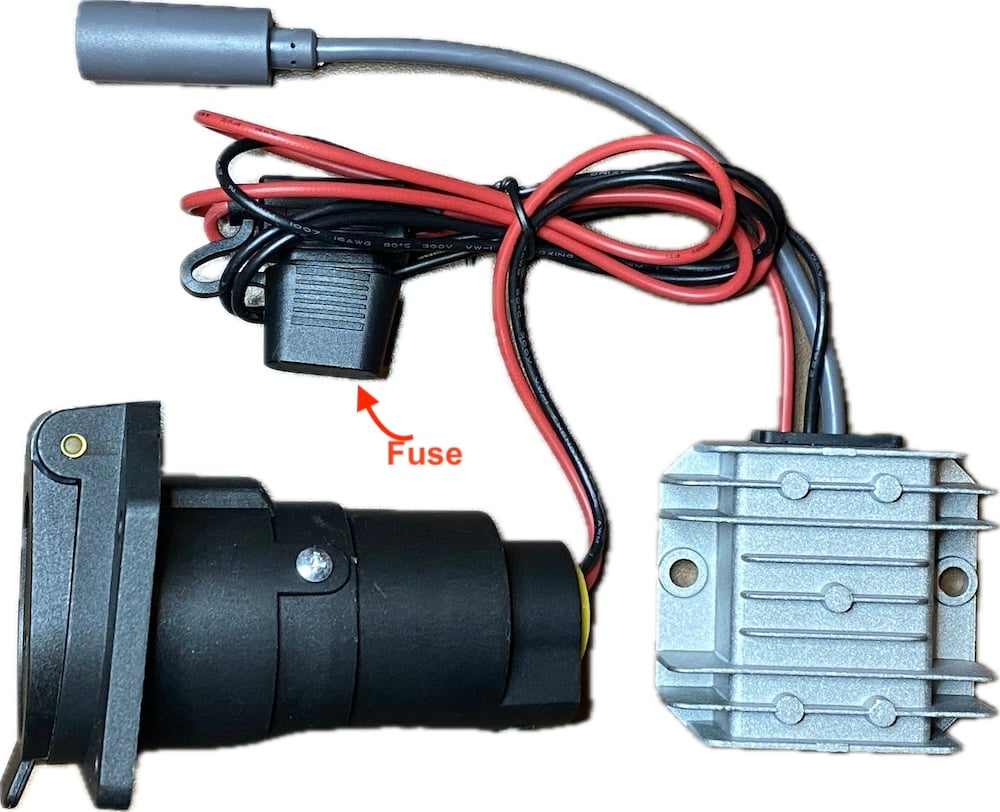
- STEP 3: Check the in-line fuse attached to the MiniLink. Open the black fuse cover and pull out the fuse to inspect it. If the fuse is blown, replace it with a 10 amp fuse.
- STEP 4: Verify that your Starlink Mini powers up using the AC adapter that was included with your Starlink Mini. This test confirms that there's no problem with the Starlink Mini or the power cable that came with Starlink Mini.
- STEP 5: Check the output from the trailer's 7-way plug. Instructions on how to verify power at the 7-way plug can be found here.
Airstream Trade Wind trailers contain a battery isolator that will prevent power from being available at the 7-way plug. MiniLink cannot be used with Trade Wind trailers, or any other trailer with a battery isolator installed.
If you have taken the steps outlined above, and the MiniLink is still not powering the Starlink, please contact AIR GEAR Customer Support at [email protected] for assistance. The AIR GEAR MiniLink comes with a 1 year warranty and support from AIR GEAR.