
"Warehouse Mode" for storageUpdated a month ago
Between camping trips, consider keeping the Sorein Power Station plugged into a wall outlet at home. This will keep it charged.
If you don't have a wall outlet available, you can put the power station into Warehouse Mode, which means it will hold its charge for a long time during storage.
- To enter Warehouse Mode on a G1 Sorein Power Station, press and hold both the "USB" and "DC5521" buttons for 15 seconds. The Sorein will beep 3 times, display "OFF" on the screen, and then go into hibernation.
- To enter Warehouse Mode on a G2 AIRGEAR x Sorein Power Station, press and hold both the "USB" and "POWER" buttons for 15 seconds. The Sorein will beep 3 times, display "OFF" on the screen, and then go into hibernation.
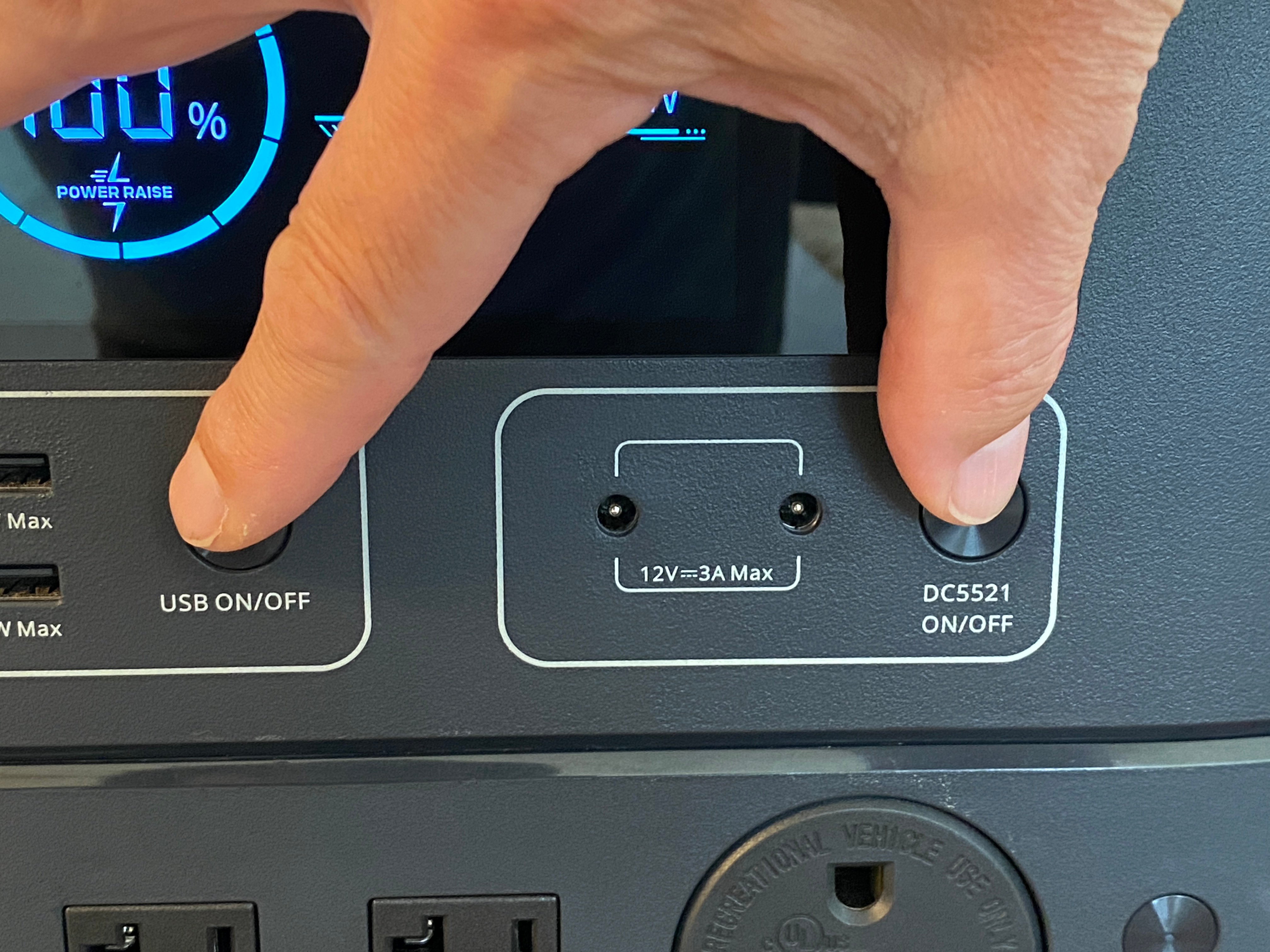
IMPORTANT: Note that once in Warehouse Mode, the Sorein cannot be turned on again until either:
- it is plugged into an AC wall outlet
- a solar panel producing at least 50 watts is plugged into the XT60 input at the back
So be sure to exit Warehouse Mode by plugging the Sorein for a moment, before going on a camping trip!
If you do arrive at a boondocking site and realize you forgot to take the Sorein out of Warehouse Mode, you can re-activate it using one of these methods:
- portable solar panels connected to the XT60 input on the Sorein Power Station, as long as the solar panels are outputting at least 50 watts
- your truck's DC-DC charger connected to the XT60 input on the Sorein Power Station
- plugging the Sorein into an inverter-equipped outlet in your RV
- plugging the Sorein into an inverter outlet from your truck.
Note that any inverters used for the purpose of activating or charging a Sorein Power Station must output pure sine wave power. Modified sine wave inverters will not work.